
10 Essential Virtual Meeting Best Practices for 2025
Master online communication with our definitive guide to virtual meeting best practices. Learn actionable tips for confident, effective remote collaboration.


Virtual meetings are no longer a temporary solution; they are the backbone of modern collaboration. Yet, many professionals still struggle with technical glitches, low engagement, and the challenge of speaking confidently, especially non-native English speakers. The gap between a poorly run virtual meeting and a highly effective one is vast, impacting productivity, team morale, and professional growth. This guide moves beyond generic advice to provide a comprehensive, actionable checklist of virtual meeting best practices.
We will cover everything from pre-call technical checks and agenda setting to advanced facilitation techniques and inclusive communication strategies that ensure every voice is heard. The goal is to equip you with specific, implementable tactics that transform your online interactions into powerful and productive conversations. Whether you're leading a team or aiming to contribute more effectively, mastering these 10 practices will make a tangible difference.
This listicle breaks down exactly what you need to do before, during, and after every call. You'll learn how to set a clear purpose, foster genuine engagement, and manage follow-up efficiently. For learners looking to build practical speaking skills in professional settings, mastering these structured environments is a crucial step. Understanding the framework of a successful meeting can significantly boost confidence and clarity.
This guide provides a foundational set of principles, but the field is always evolving. For a deeper dive into comprehensive strategies, explore these additional virtual meeting best practices to master even more advanced techniques. By focusing on these core elements, you will be well-equipped to navigate any online professional environment with confidence and skill.
1. Test Technology and Setup Before the Meeting
Nothing derails a virtual meeting faster than technical difficulties. A foundational virtual meeting best practice is to conduct a thorough pre-meeting check of your equipment and environment. This simple, proactive step prevents common disruptions like frozen video, inaudible audio, or sudden connection drops, allowing you to project professionalism and confidence from the moment you join.

This practice is essential because it shifts your focus from troubleshooting to participation. Instead of apologizing for a malfunctioning microphone or a blurry camera, you can concentrate on the meeting's agenda and contribute effectively. It’s a non-negotiable step for high-stakes interactions like client presentations, job interviews, or important team decisions where a flawless technical setup reinforces your credibility.
How to Implement Your Pre-Meeting Tech Check
To ensure a smooth start, create a simple checklist to run through 10-15 minutes before your meeting begins. Most platforms have built-in tools to simplify this process.
- Platform-Specific Tests: Use the dedicated testing features available in your meeting software. For example, Zoom has a test meeting function in its settings, Microsoft Teams offers a pre-join screen to verify your camera and mic, and Google Meet provides a "Check your audio and video" button before you enter a call.
- Internet Connection: Don't just assume your connection is stable. Run a quick test on a site like Speedtest.net. If your speed is slow or unstable, consider moving closer to your router or connecting directly via an Ethernet cable.
- Audio Quality: Put on your headset and test both your microphone and speakers. Speak a few sentences to confirm your microphone is picking up your voice clearly without background noise or echoes.
- Visual Presentation: Check your video feed for lighting, camera angle, and background. Your primary light source should be in front of you, not behind you, to avoid creating a silhouette. Position your camera at eye level to simulate direct eye contact. Ensure your background is professional and free of clutter, or use an approved virtual background.
By making this tech audit a routine part of your pre-meeting preparation, you eliminate unnecessary stress and set the stage for a productive and engaging session. For more personalized coaching on presenting with confidence, you can explore resources at Talk-easy.
2. Establish Clear Meeting Agendas and Goals
A meeting without a clear agenda is like a journey without a map; it's likely to wander aimlessly and rarely reach its destination. Establishing and distributing a detailed agenda is a critical virtual meeting best practice that transforms unstructured conversations into focused, productive sessions. This simple document sets clear expectations, respects everyone's time, and ensures all participants arrive prepared to contribute meaningfully.
This practice is essential because it provides structure and purpose, preventing discussions from derailing into tangents. When participants know the objectives, topics, and time allocations in advance, they can prepare their thoughts and materials, leading to more efficient and decisive outcomes. It’s a non-negotiable step for any collaborative effort, from project kickoffs and team syncs to executive board meetings where every minute counts.
How to Implement Effective Meeting Agendas
To ensure your meetings are focused and effective, make agenda creation a standard part of your planning process. A well-crafted agenda serves as your meeting’s blueprint.
- Define Clear Objectives: Start by answering the question: "What is the primary goal of this meeting?" Whether it's to make a decision, brainstorm ideas, or provide a status update, a clear objective should guide every item on the agenda.
- Structure and Time-Block: Outline the key discussion topics and assign a specific time limit to each. Prioritize the most critical items at the beginning of the meeting. This structure helps maintain momentum and ensures you cover essential points.
- Assign Ownership: For each agenda item, clearly specify who is responsible for leading that part of the discussion. This creates accountability and ensures that someone is prepared to guide the conversation and answer questions.
- Distribute in Advance: Send the agenda and any necessary pre-reading materials to all participants at least 24 hours before the meeting. This gives everyone ample time to review the content, prepare their input, and come ready to engage.
By making a detailed agenda a prerequisite for every virtual meeting, you build a culture of preparation and respect for time, setting the stage for more productive and less stressful collaborations. For help mastering the language needed to lead discussions and present agenda items clearly, explore the tailored lessons at Talk-easy.
3. Minimize Distractions and Maintain Professional Environment
A controlled and professional environment is crucial for effective virtual communication. This virtual meeting best practice involves intentionally creating a dedicated workspace free from interruptions and managing digital and physical distractions. This simple act demonstrates respect for your colleagues' time and significantly improves the quality of communication by keeping everyone focused on the agenda.

This practice is essential because it signals that you are present, engaged, and taking the meeting seriously. When you eliminate background noise, silence notifications, and maintain a professional appearance, you minimize cognitive load for yourself and others. This is particularly important for remote-first companies like Basecamp that champion dedicated workspaces to foster a culture of deep work and focused collaboration. A distraction-free setting ensures your contributions are heard and understood without interference.
How to Create a Focused and Professional Setting
To build a conducive environment, focus on controlling your physical space, digital notifications, and personal presentation. These steps help you project competence and maintain meeting flow.
- Designate a Quiet Zone: If possible, choose a room with a door you can close. Inform family members or roommates of your meeting schedule to prevent interruptions. Using noise-canceling headphones is a powerful way to block out sudden external sounds.
- Silence Digital Clutter: Close all unnecessary browser tabs and applications before the meeting begins. Turn off notifications on your computer and put your phone on silent and out of sight to resist the temptation to multitask.
- Curate Your Visuals: Your background and appearance are part of your professional communication. Choose a neutral, uncluttered background or use a company-approved virtual background if your physical space is limited. Dress as you would for an in-person meeting to put yourself in a professional mindset.
Adopting these habits ensures your focus remains entirely on the conversation. For further guidance on refining your vocal delivery, you can discover tips on how to sound professional.
4. Use Active Listening and Engagement Techniques
In a virtual setting, it's easy for attendees to become passive observers rather than active participants. Implementing active listening and engagement techniques is a critical virtual meeting best practice that transforms this dynamic. By consciously demonstrating you are present and engaged, you improve communication clarity, foster stronger team cohesion, and ensure that every participant feels valued and heard.

This practice is essential because it combats "virtual fatigue" and the temptation to multitask. When team members see you actively participating through non-verbal cues and thoughtful questions, it sets a standard for others to follow. This is particularly vital in collaborative sessions like brainstorming or problem-solving, where the quality of the outcome depends entirely on the collective focus and contribution of the group.
How to Implement Active Engagement
Integrating these techniques requires a conscious effort to signal your focus and involvement to others. Make these actions a consistent part of your virtual meeting etiquette.
- Maintain Digital Eye Contact: Position your camera at eye level and make an effort to look directly at the lens when you are speaking. This simulates direct eye contact, making your message more personal and engaging for other participants.
- Use Non-Verbal Cues: Simple actions like nodding, smiling, or giving a thumbs-up provide real-time feedback to the speaker. Many platforms like Zoom and Microsoft Teams also offer built-in reaction emojis, which are excellent for showing agreement or acknowledgment without interrupting the flow.
- Take Visible Notes: Having a notebook or a digital note-taking app like OneNote open shows you are capturing key information. This physical act of writing reinforces your focus and helps you formulate clarifying questions.
- Ask Clarifying Questions: Avoid staying silent throughout the meeting. Ask specific, open-ended questions like, "Could you elaborate on that point?" or "How does this data impact our project timeline?" This demonstrates you are processing the information and thinking critically about the topic.
- Provide Verbal Affirmations: When someone else is speaking, brief interjections such as "I understand," "That makes sense," or "Good point" can confirm you are following along and encourage the speaker.
By mastering these engagement strategies, you contribute to a more dynamic and productive meeting environment. To further develop your ability to communicate clearly and confidently, you can find more information about effective communication skills in the workplace.
5. Optimize Meeting Duration and Frequency
One of the most impactful virtual meeting best practices involves actively managing how long and how often you meet. The goal is to combat meeting fatigue and respect participants' most valuable asset: their time. By moving away from the default hour-long meeting, you can increase focus, drive more decisive outcomes, and boost overall productivity.
This practice is essential because back-to-back meetings without breaks lead to cognitive overload and diminished engagement. Research from companies like Microsoft has shown that shorter, more focused meetings are significantly more effective. Implementing this strategy demonstrates respect for your team's workload and promotes a culture where meetings are reserved for high-value collaboration, not just status updates.
How to Implement Optimized Meeting Schedules
Shifting your team's meeting culture requires intentional changes to your scheduling habits. Start by re-evaluating the necessity and length of every meeting you organize.
- Default to Shorter Meetings: Make 25 or 50 minutes your new standard instead of 30 or 60. This builds in a buffer for participants to transition between calls, grab water, or simply reset their focus.
- Justify Longer Sessions: Require a clear justification and agenda for any meeting scheduled to last longer than 45 minutes. Parkinson's Law states that work expands to fill the time allotted, so shorter meetings force efficiency.
- Implement "No-Meeting" Blocks: Follow the lead of innovative companies like Shopify and Google by establishing meeting-free periods, such as "No Meeting Fridays" or dedicated focus time blocks each day. This gives everyone uninterrupted time for deep work.
- Leverage Asynchronous Communication: Before scheduling a meeting, ask if the goal can be achieved asynchronously. Use tools like Slack, Microsoft Teams, or recorded Loom videos for updates that don't require real-time discussion, reserving meetings for true collaboration and decision-making.
By strategically scheduling meetings, you not only improve productivity but also enhance team morale. To learn more about communicating your ideas effectively in these shorter, high-impact sessions, explore the resources at Talk-easy.
6. Enable Inclusive Participation and Accessibility
An effective virtual meeting is one where every participant feels empowered to contribute, regardless of their location, abilities, or technical proficiency. A crucial virtual meeting best practice is to proactively enable inclusive and accessible features. This involves more than just good intentions; it means leveraging technology and facilitation techniques to remove barriers to participation, ensuring everyone has an equal voice.
This practice is essential because it fosters psychological safety and maximizes the collective intelligence of the group. When participants with hearing impairments, different language proficiencies, or neurodiverse needs can fully engage, the quality of discussion and decision-making improves. For global teams, this commitment to accessibility also respects different time zones and cultural contexts, making collaboration more equitable and productive.
How to Implement Accessible and Inclusive Practices
Building accessibility into your virtual meetings is straightforward with modern platforms. The key is to make these features a standard part of your meeting setup rather than an afterthought.
- Activate Live Captions and Transcripts: Most major platforms offer automated captioning. In Google Meet, you can enable captions that support over 80 languages. Similarly, Zoom and Microsoft Teams provide live transcription features. This helps participants who are deaf or hard of hearing, as well as non-native speakers who benefit from seeing the text.
- Embrace Multimodal Participation: Acknowledge that not everyone is comfortable speaking up. Encourage the use of the chat function for questions and comments, and explicitly pause to read them aloud. This allows more introverted team members or those with audio issues to contribute equally.
- Provide Materials in Advance: Share the agenda, slides, and any pre-reading materials in an accessible format (e.g., a well-structured document that works with screen readers) at least 24 hours before the meeting. This gives everyone time to process information at their own pace.
- Be Verbally Descriptive: When sharing your screen or discussing visual elements like charts or graphs, describe them verbally. For example, say, "As you can see in the bar chart on the right, Q3 revenue increased by 15%," which benefits attendees who are visually impaired or have joined via audio only.
By embedding these accessibility practices into your routine, you create a more respectful and effective environment for everyone. To further develop communication skills for diverse professional settings, explore the tailored programs at Talk-easy.
7. Document Action Items and Send Clear Follow-up Notes
A virtual meeting's impact diminishes quickly if decisions and tasks dissolve once the call ends. One of the most critical virtual meeting best practices is to meticulously document outcomes and distribute clear, actionable follow-up notes. This practice transforms discussion into tangible progress, ensuring accountability, clarity, and momentum for projects.
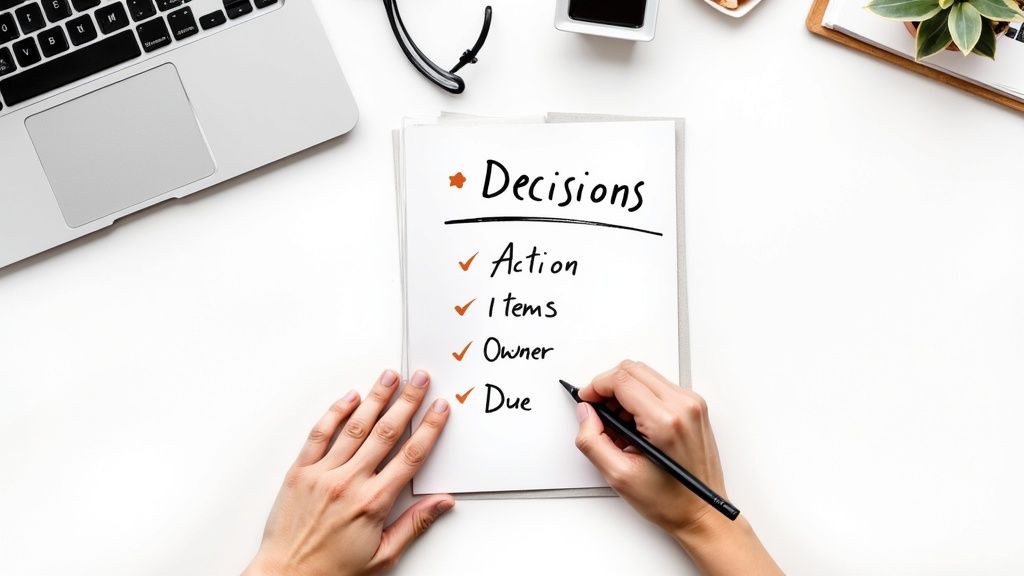
This process is essential because it creates an official record, eliminating ambiguity about what was agreed upon and who is responsible for what. Without a clear summary, participants may leave with different interpretations of the next steps, leading to missed deadlines and duplicated effort. A well-crafted follow-up note serves as a roadmap, guiding the team forward and keeping everyone aligned.
How to Implement Effective Meeting Documentation
Integrate documentation into your meeting workflow by assigning roles and using structured formats. Sending a summary within 24 hours while the discussion is still fresh is key to maintaining momentum.
- Assign a Note-Taker: Designate one person per meeting to be the official scribe. Rotate this role to distribute the responsibility and encourage active listening from different team members.
- Use a Consistent Structure: Organize notes into clear sections: Key Decisions Made, Action Items (with Owners and Due Dates), and Major Discussion Points. For example, an action item should be explicit: "Action: Alex to finalize the Q3 budget report by EOD Friday."
- Leverage Templates and Tools: Don't start from scratch every time. To streamline this process, utilizing a dedicated meeting action items template can be highly beneficial. Many platforms, like Microsoft Teams and Notion, offer built-in note-taking features that can be integrated directly into your workflow.
- Integrate with Project Management Software: Link action items directly to tasks in tools like Asana, Jira, or Monday.com. This embeds accountability into your team's daily operations and makes progress tracking seamless. If your meeting was recorded, include links to video timestamps for key decisions to provide extra context.
By making diligent documentation and prompt follow-up a standard procedure, you ensure that every virtual meeting is a productive step forward, not just a conversation.
8. Master Platform Features and Functionality
Simply knowing how to join a call isn't enough; true proficiency in virtual meetings comes from mastering the tools at your disposal. A crucial virtual meeting best practice is to develop a deep understanding of your video conferencing platform's features. This knowledge transforms you from a passive attendee into a skilled facilitator who can boost engagement, streamline discussions, and improve meeting efficiency.
This practice is essential because it unlocks a more interactive and productive meeting experience. Instead of a monotonous monologue, you can use features like polls for instant feedback, breakout rooms for focused small-group collaboration, and screen sharing to align everyone on key documents. For leaders, presenters, and even active participants, platform mastery demonstrates preparedness and respect for everyone's time, making the session more valuable.
How to Implement Platform Mastery
Before your next important meeting, invest time in exploring the specific tools your platform offers. This preparation ensures you can deploy features seamlessly when the opportunity arises.
- Utilize Interactive Tools: For meetings with over 20 participants, use breakout rooms to facilitate smaller, more intimate discussions. Launch a poll to quickly gauge consensus on a topic or to re-engage a quiet audience. The chat function is perfect for collecting questions without interrupting the speaker.
- Practice Screen Sharing: Don't wait until the meeting to share your screen for the first time. Practice sharing your entire desktop versus a single window or application. Be prepared to smoothly transition between different documents or presentations to avoid awkward pauses.
- Leverage Visual and Recording Features: Use an approved virtual background to maintain a professional appearance and minimize distractions. Before a critical session where decisions will be made, test the recording feature to ensure you can capture and distribute a high-quality summary for those who couldn't attend.
- Learn Keyboard Shortcuts: Increase your efficiency by learning the keyboard shortcuts for common actions like muting/unmuting your microphone, starting/stopping your video, or opening the chat panel. This allows you to manage the meeting without fumbling through menus.
By treating your meeting platform as a powerful toolkit rather than just a communication channel, you can facilitate more dynamic and effective virtual collaborations. For targeted practice in using these tools confidently, explore the personalized sessions at Talk-easy.
9. Establish Meeting Etiquette and Ground Rules
A lack of clear expectations is a common source of friction and disorganization in virtual meetings. Establishing and communicating a clear set of ground rules and etiquette guidelines creates a predictable and professional environment where everyone understands how to participate effectively. This proactive approach minimizes confusion and ensures the focus remains on the meeting's objectives, not on behavioral guesswork.
This practice is essential for fostering an inclusive and respectful atmosphere. When norms for communication, such as using the "raise hand" feature or muting when not speaking, are explicitly stated, it levels the playing field for all participants, including non-native speakers or more reserved team members. It’s a crucial step for recurring team meetings, client-facing calls, and large group sessions where structure is necessary to maintain order and productivity.
How to Implement Meeting Ground Rules
Integrate your etiquette guidelines directly into your meeting workflow so they become a standard operational procedure. Share these rules in advance and provide a quick reminder at the start of the call.
- Communicate in Advance: Include a brief list of key etiquette points directly in the calendar invitation or a pre-meeting email. This sets expectations before anyone even joins the call.
- Punctuality and Presence: State the importance of joining on time. Clarify expectations around camera usage, for example, "cameras on" for introductions and key discussions to improve engagement, and whether using a professional virtual background is preferred.
- Muting and Participation: Establish a clear protocol for speaking. A common standard is to "stay muted unless you are speaking" to eliminate background noise. For larger groups, instruct attendees to use the "raise hand" feature to avoid interruptions.
- Discourage Multitasking: Explicitly request that participants minimize distractions like checking email or working on other tasks. This simple rule reinforces respect for the speaker and the meeting's purpose.
By standardizing these behaviors, you build a foundation of professionalism that enhances every interaction. The principles of clear communication and respect are just as vital in virtual settings as they are in traditional phone calls. For deeper insights, you can explore tips on professional telephone etiquette on talk-easy.com.
10. Provide Technical Support and Troubleshooting Resources
Even with individual preparation, technical issues can still arise, disrupting meeting flow and causing stress for participants. A crucial virtual meeting best practice is to proactively offer technical support and easily accessible troubleshooting resources. This creates a supportive environment where participants feel empowered to resolve issues quickly, minimizing disruptions for everyone.
This practice is essential because it acknowledges that not everyone has the same level of technical proficiency. Providing a safety net of support prevents participants from feeling isolated or embarrassed by technical problems. For large-scale events, global teams, or meetings with external clients, having a clear support plan demonstrates organizational competence and a commitment to an inclusive, seamless experience.
How to Implement Technical Support Systems
Building a robust support system doesn't have to be complex. The goal is to make help easy to find and use, both before and during a meeting.
- Create Centralized Resources: Develop a simple, accessible knowledge base. This could be an internal company wiki page with FAQs, quick-start guides for different platforms (Zoom, Teams, Google Meet), and short video tutorials for common tasks like sharing a screen or changing audio settings.
- Include Support Info in Invites: Add a dedicated section in every meeting invitation with a link to your help resources and a direct contact for IT support. This could be an email address, a Slack channel, or a phone number for urgent issues.
- Assign a Tech Point Person: For important meetings, designate a co-host or a "tech buddy" whose role is to help participants with technical difficulties in the chat or a breakout room. This allows the main facilitator to stay focused on the agenda without being derailed by troubleshooting.
- Leverage Platform-Specific Training: Encourage your team to use the excellent, free resources provided by the platforms themselves. Zoom has a Learning Center, Microsoft offers extensive Teams training, and Google provides a comprehensive Meet Help Center. These are perfect for self-directed learning.
By embedding technical support into your meeting culture, you remove a significant barrier to participation. This ensures that the focus remains on collaboration and content, not on connectivity problems. To further build your team's confidence in virtual settings, consider tailored communication coaching at Talk-easy.
10-Point Virtual Meeting Best Practices Comparison
| Practice | Implementation Complexity (🔄) | Resource Requirements (⚡) | Expected Outcomes (📊) | Ideal Use Cases (💡) | Key Advantages (⭐) |
|---|---|---|---|---|---|
| Test Technology and Setup Before the Meeting | 🔄 Low — simple pre-checks required | ⚡ Low — camera, mic, stable internet | 📊 Fewer tech failures; smoother meetings | 💡 Presenter-led calls, client demos | ⭐ Reliable connections; professional presentation |
| Establish Clear Meeting Agendas and Goals | 🔄 Medium — upfront planning needed | ⚡ Low — time to prepare and distribute docs | 📊 More focused discussions; shorter meetings | 💡 Project reviews, decision meetings | ⭐ Better decisions; accountability |
| Minimize Distractions and Maintain Professional Environment | 🔄 Low–Medium — workspace & behavior changes | ⚡ Low — headphones, background adjustments | 📊 Improved concentration; fewer interruptions | 💡 Client calls, focused collaboration | ⭐ Higher credibility; increased engagement |
| Use Active Listening and Engagement Techniques | 🔄 Medium — practice and facilitation effort | ⚡ Low — note tools and attention | 📊 Improved comprehension; stronger team cohesion | 💡 Brainstorms, feedback sessions | ⭐ Reduced miscommunication; trust building |
| Optimize Meeting Duration and Frequency | 🔄 Medium — scheduling policy changes | ⚡ Low — calendar discipline | 📊 Less fatigue; higher productivity | 💡 Recurring meetings, company-wide scheduling | ⭐ More deep-work time; reduced burnout |
| Enable Inclusive Participation and Accessibility | 🔄 Medium — accommodations and facilitation | ⚡ Medium — captions, transcripts, tools | 📊 Greater participation; compliance with standards | 💡 Global teams, public webinars, diverse groups | ⭐ Inclusivity; usable meeting records |
| Document Action Items and Send Clear Follow-up Notes | 🔄 Low–Medium — assign roles and template | ⚡ Low — collaboration tools (Docs/PM) | 📊 Higher accountability; clearer next steps | 💡 Project tracking, decision follow-up | ⭐ Traceability; improved execution |
| Master Platform Features and Functionality | 🔄 Medium–High — training and practice | ⚡ Medium — training time, feature access | 📊 More interactive, efficient meetings | 💡 Webinars, workshops, large meetings | ⭐ Enhanced engagement; better facilitation |
| Establish Meeting Etiquette and Ground Rules | 🔄 Low–Medium — define and communicate norms | ⚡ Low — documentation and reminders | 📊 Predictable, respectful meeting behavior | 💡 Cross-functional teams, client-facing calls | ⭐ Fewer disruptions; clear expectations |
| Provide Technical Support and Troubleshooting Resources | 🔄 Medium–High — maintain support infrastructure | ⚡ High — IT staff, knowledge bases, training | 📊 Faster issue resolution; increased adoption | 💡 Large orgs, distributed teams, onboarding | ⭐ Reduced downtime; higher user confidence |
Putting It All Together: Your Path to Confident Communication
The journey from enduring virtual meetings to mastering them is not about a single, transformative secret. Instead, it’s about the consistent application of small, intentional habits. We've explored a comprehensive checklist of virtual meeting best practices, from rigorously testing your technology before you join to sending out clear, actionable follow-up notes after you leave. Each of these practices, whether it’s crafting a purposeful agenda or mastering your platform's features, serves as a crucial building block for creating more productive, inclusive, and engaging online interactions.
Viewing these strategies as an interconnected system is key. A clear agenda (Practice #2) is only effective if participants are actively listening and engaged (Practice #4). Inclusive participation (Practice #6) thrives when there are established ground rules for communication (Practice #9). By weaving these elements together, you don't just improve a single meeting; you cultivate a culture of virtual communication excellence. This holistic approach transforms chaotic calls into structured collaborations and ensures that every participant, regardless of their background or role, feels seen, heard, and valued.
From Practice to Proficiency: Your Action Plan
The sheer number of best practices can feel overwhelming, but the goal isn't to implement all ten perfectly overnight. True mastery comes from incremental improvement. The most effective approach is to identify your biggest pain points and start there.
- If your meetings often run over time or lack focus: Begin by focusing on Practice #2 (Clear Agendas) and Practice #5 (Optimize Duration). Commit to creating a detailed, timed agenda for your next three meetings and strictly adhere to the scheduled end time.
- If engagement is low and a few voices dominate: Prioritize Practice #4 (Active Listening) and Practice #6 (Inclusive Participation). Make a conscious effort to use specific engagement tactics like polls or direct questions, and intentionally create space for quieter team members to contribute.
- If you feel anxious about your communication skills: For many professionals, especially non-native English speakers, the real barrier isn't just knowing the rules but feeling confident enough to speak up. The structured environment of these best practices provides a perfect stage for building that confidence. Knowing the agenda in advance allows you to prepare your talking points. Understanding meeting etiquette helps you know when and how to interject.
The ultimate value of mastering these virtual meeting best practices extends far beyond simply having better meetings. It’s about reclaiming valuable time, fostering stronger team cohesion, and driving more effective collaboration in a remote or hybrid world. For individuals, it's a powerful way to demonstrate professionalism, leadership, and communication prowess. When you consistently show up prepared, facilitate inclusive discussions, and ensure clear outcomes, you build a reputation as a reliable and effective communicator.
This commitment to structured practice is particularly transformative for anyone looking to improve their spoken English in a professional context. Every meeting becomes a low-stakes opportunity to practice fluency, learn industry-specific vocabulary, and gain confidence in a real-world setting. By combining a solid framework of meeting etiquette with dedicated speaking practice, you create a powerful feedback loop that accelerates your language learning and professional growth. The path to confident communication is paved with consistent, intentional action. Start small, stay consistent, and turn every virtual call into an opportunity to excel.
Ready to turn meeting theory into confident practice? Build the fluency and professional vocabulary you need to shine in any virtual setting with TalkEasy. Our AI-powered platform provides a safe space to rehearse meeting scenarios, get instant feedback, and master the art of confident communication on your own schedule. Start your journey to becoming a more effective speaker today.